Home . Work . Transforming G. Fox’s Digital Experience
ux/ui website design
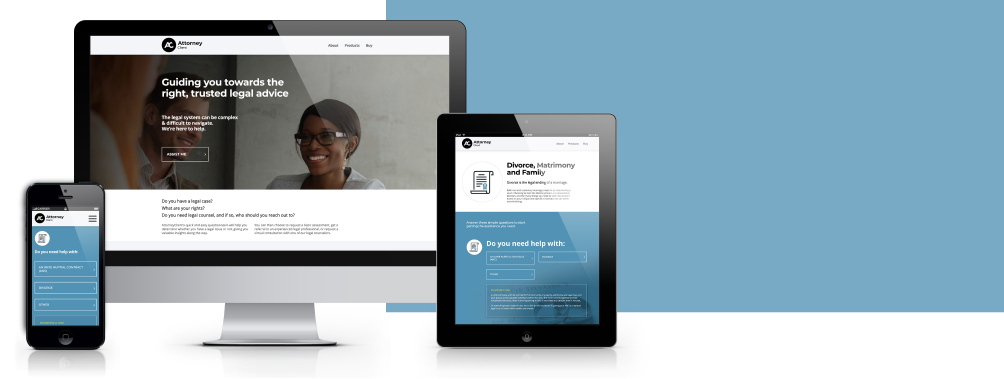
Simplifying Legal Help with AttorneyClient
My Role
From discovery to delivery, I was embedded in every stage of the product design process:
Conducted extensive user research & validation
Built user flows, wireframes, prototypes & designs
Collaborated with devs and stakeholders to define features
Delivered basic brand CI and responsive website design
Tools
Team
Project Manager Creative Director UX/UI Designer Full stack developer
Overview
Making Legal Guidance Accessible Through Smart Design
AttorneyClient set out to solve a common but complex problem: helping everyday people find the right legal support without the usual stress or confusion. The goal was to design a platform that felt intuitive, approachable, and genuinely helpful—guiding users to the right type of lawyer through smart questioning, minimal friction, and clear information. The result is a streamlined legal matching experience that balances user needs with behind-the-scenes efficiency for administrators.
Business Impact:
Increased user engagement through a simplified, guided onboarding experience
Reduced drop-off with minimal, targeted questioning
Faster matching process for administrators, improving operational efficiency
Delivered a steady stream of qualified leads to legal professionals
Positioned AttorneyClient as a trusted, scalable legal tech solution
Design Process
01.
Discovery
Defined the problem & user pain points
Understanding the law, define & unpack each legal category.
Understand the user stages required for each category
02.
Creating the Brand
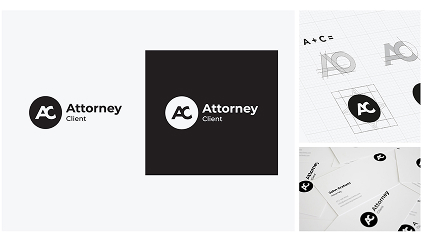
Create a logo and corporate identity design for the product.
Objective: To establish a brand that is not only professional and reliable but also warm and inviting.
This approach established the color palette and created a harmonious blend of vector graphics and photographic elements.
03.
Wireframe & Design Website
Based on user pain-points and new understanding of the law requirements, architect the website sitemap.
Create an interactive wireframe prototype for the client to navigate the new user experience. This will also help us conduct basic user testing to ensure the UX is intuitive for everyday users.
Finalize the website design and pass it to the developers. This involves creating component designs, conducting thorough site testing, and more.
Always collaborative:
Developers, stakeholders, and end-users were involved throughout to ensure we solved real problems, together.
Challenges
User Problems
Most users didn’t know how to categorize their issue or what type of lawyer they needed.
Most users didn’t know how to categorize their issue or what type of lawyer they needed.
Users wanted quick, clear guidance without having to speak to someone immediately.
Team Challenges
The Brave team faced a steep learning curve due to the complexities of litigation.
It was essential to determine the best methods for gathering accurate information from users.
We spent hours collaborating with clients to refine our questions. Our goal was to establish the most efficient path to success.
Research Findings
68%
of legal consumers say they don’t understand what kind of lawyer they need when starting their search.
Source: Clio Legal Trends Report
Research Findings
60%
of users prefer digital self-service tools for initial problem solving over speaking to someone directly.
Source: Gartner Customer Service
Research Findings
70%
of people looking for legal help report feeling overwhelmed by the process.
Source: American Bar Association Survey
The Solution
A Streamlined Experience, Built for Clarity and Efficiency
AttorneyClient.co.za is optimised for mobile, ensuring that anyone seeking legal help can do so from any place, at any time.
Your Personal Lawyer Anytime
Designed a clean, modern platform with a curated list of legal service categories
Interactive logic
Implemented an interactive logic tree to guide users through only the most relevant questions
Integration
Integrated with HubSpot to capture user selections at checkout
Lightweight Admin
Enabled the admin team to quickly identify the user’s legal issue and route requests efficiently
Impact
50%
Time saved on HR user management.
Source: Client Feedback
Impact
30%
Less staff turnover – due to employees feeling more engaged and involved with the company.
Source: Client Feedback
Impact
30%
Time saved in communication efforts.
Source: Client Feedback
Interested
in working together?
Or just want to chat about design, collaboration, or anything in between – feel free to reach out.